
Pizza Hut - Delivery & Takeout
Pizza Hut IncFood & Drink
3.7392.54K Reviews
- Version
- 6.1.18
- Installs
- 10.00M
- Age Rating
- Everyone
Screenshots
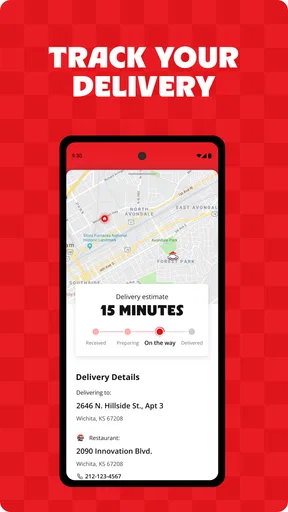
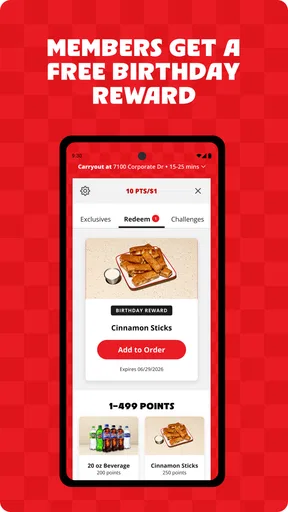
Our Review of Pizza Hut - Delivery & Takeout
 Analysis by Appyee
I see the Pizza Hut app as a convenient way to place an order with one specific pizza chain, rather than a general food-delivery tool. That distinction matters: it’s most useful when you already know you want Pizza Hut and would rather browse its menu, choose delivery or pickup, and keep the order in one place. I like that focused approach, though it also means it won’t help much if you’re comparing restaurants or deciding what kind of food to eat.
A focused alternative to browsing delivery apps
When I’m choosing between several local restaurants, a broad delivery app is the more practical starting point: it puts different cuisines and businesses side by side. Pizza Hut’s own app serves a different purpose. It keeps the experience centered on the chain, which can make it easier to find familiar menu categories and build an order without sorting through unrelated options. If you already have a usual order, that narrower scope can be a benefit rather than a drawback.
The trade-off is choice. You’re not using this app to discover every nearby pizza shop or compare one restaurant’s menu with another’s. I’d open it when I’ve settled on Pizza Hut; if I’m still weighing local alternatives, I’d start elsewhere and come back once I’ve made up my mind. That simple decision saves time and prevents the app from feeling like the wrong tool for the task.
Useful habits for a smoother order
One practical tip is to choose delivery or pickup before spending time shaping a detailed order. That lets you plan around how you’ll receive it from the outset, rather than treating pickup and delivery as interchangeable at the last moment. For pickup, I’d check the instructions before heading out and keep the order details handy. For delivery, tracking is useful for following progress, but I’d still allow some flexibility in my evening instead of treating an estimate as a promise.
Customizing a pizza is enjoyable, but it also makes it easier to overlook the total or add choices that aren’t worth it for your group. I’d decide on the basics first—crust and toppings—then look at the deal section and compare the final order before checkout. A bundle may be a good fit when everyone wants a mix of pizza and sides; for a simple solo meal, adding items just because they appear in a deal can work against the goal of spending less.
Who gets the most from it
I’d recommend it to people who order Pizza Hut regularly, households that need a familiar menu for different tastes, and anyone who values having delivery and pickup in the same chain-specific app. It can also suit a host trying to coordinate a straightforward group meal: decide what the group wants, customize the order, and choose how it will arrive without switching between restaurant listings.
It’s a weaker fit for someone who wants to browse many restaurants, hunt for the lowest price across several chains, or order from a local independent pizzeria. It may also be unnecessary if you rarely choose Pizza Hut; installing a dedicated app for an occasional order is less compelling than using whichever ordering method you already prefer. I’d treat it as a useful shortcut for a repeat choice, not as an essential app for every meal.
There are a few practical questions worth thinking through before relying on it. If you’re ordering for a group, check the assembled order carefully before paying so that customizations and sides match what everyone agreed on. If your plans might change, don’t assume that the app’s convenience means an order can be altered at any point; review the details shown during checkout and act promptly if something needs attention. And if you’re ordering to a new location, confirm the selected address before building a large order, since a location choice affects whether delivery or pickup makes sense.
Pizza Hut’s app is a free Food & Drink app from Pizza Hut Inc, and it is rated for Everyone. It has a 3.8 average from around 985,000 ratings, with more than 10 million installs. Those figures suggest broad use, but I wouldn’t treat popularity as proof that every order will go smoothly; the right location, a clear order, and realistic expectations still matter.
The app first appeared on May 17, 2011, and version 6.0.34 requires Android 7.0 or later. Those details make it easier to judge whether it suits your device, while the core decision is more personal: do you want a direct route to Pizza Hut, or do you need a wider view of nearby food options? I’d choose the former when the restaurant is already decided.
Hey everyone! So, today I got to dive into the Pizza Hut - Delivery & Takeout app, and let me tell you, it’s quite the game-changer for pizza lovers like us. If you’re always on the hunt for a slice of cheesy goodness, this might just be your new best friend. Let’s break it down!
Ordering Made Effortless
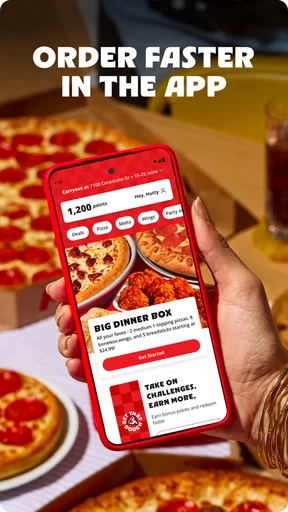
First off, the interface of the Pizza Hut - Delivery & Takeout app is super user-friendly. Right from the get-go, you’re welcomed with a sleek design that’s both vibrant and easy to navigate. I mean, who doesn’t love an app that’s as inviting as the aroma of a freshly baked pizza? You can quickly set your location and start browsing through the menu without a hitch.
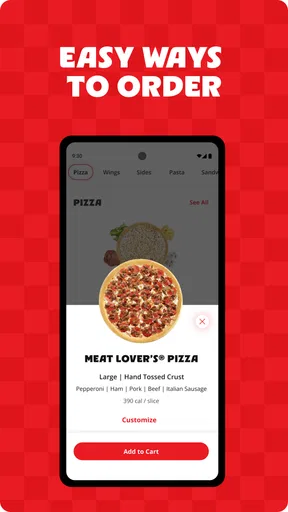
The menu itself is well-organized with clear categories like pizzas, sides, desserts, and beverages. What I personally loved was the customization option. There’s something magical about creating your own pizza, from choosing the crust type to loading up on all your favorite toppings. It’s like having a pizza party in the palm of your hand!
Deals and Discounts
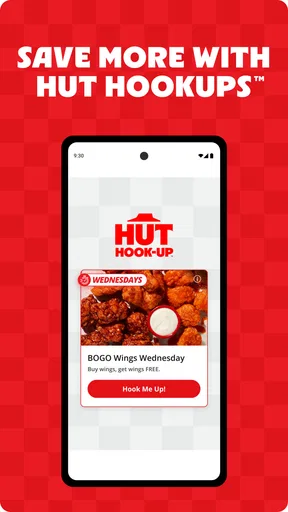
We all love a good deal, right? Well, the app doesn’t disappoint in this department. There’s a dedicated section just for deals, which is perfect for those of us who like to enjoy our pizza without burning a hole in our pocket. I found some awesome combo deals that offered great value for money. Plus, they have exclusive in-app offers which make you feel like you’re part of a VIP club!
Delivery or Takeout – Your Choice!
One of the coolest features is the flexibility it offers between delivery and takeout. Personally, I’m a fan of chilling at home and having my food brought to me, but sometimes you just want to pick it up yourself. The app lets you choose your preferred method seamlessly. You can track your delivery in real-time, which is perfect for those "hangry" moments when you’re eagerly waiting for your meal to arrive.
For takeout, the app provides clear instructions on picking up your order, making the whole process smooth and efficient. No more awkwardly waiting at the counter, wondering if your order is ready yet!
Payment and Checkout
Let’s talk payments. The checkout process in the app is straightforward and secure. You can save your payment details for future orders, which is a huge plus for frequent users like me. The app supports various payment methods, including credit cards, debit cards, and even PayPal. It’s all about convenience, and I’m here for it!
User Experience and Support
When it comes to user experience, the app scores high marks in my book. It’s fast, responsive, and doesn’t crash, even during peak times. If you ever run into any issues, their customer support is just a tap away. There’s a handy help section within the app, which provides quick answers to common questions. And if you need more assistance, you can easily contact their support team.
Overall, the Pizza Hut - Delivery & Takeout app does a fantastic job of making pizza ordering a delightful experience. Whether you’re a regular customer or a first-timer, the app caters to your needs with ease and efficiency.
In conclusion, if you haven’t downloaded the app yet, I’d say give it a shot. It’s perfect for those lazy nights when cooking is the last thing on your mind, or when you’re hosting friends and need something quick and delicious. Trust me, your taste buds will thank you!
Privacy and Permissions
See what permissions an app requests and how it handles your data.
- Location
- approximate location (network-based), precise location (GPS and network-based)
- Photos/Media/Files
- read the contents of your USB storage, modify or delete the contents of your USB storage
- Storage
- read the contents of your USB storage, modify or delete the contents of your USB storage
- Wi-Fi connection information
- view Wi-Fi connections
- Other
- view network connections, full network access, run at startup, draw over other apps, control vibration, prevent device from sleeping
Verdict
Strengths of Pizza Hut - Delivery & Takeout
- User-friendly interface for easy ordering.
- Wide variety of menu items available.
- Real-time order tracking feature.
- Exclusive deals and discounts offered.
- Loyalty rewards program for frequent users.
Limitations of Pizza Hut - Delivery & Takeout
- Requires internet for full functionality.
- Limited customization options for orders.
- Occasional app crashes reported by users.
- Delivery areas may be restricted.
- Push notifications can be intrusive.
Similar Picks in This Category
View All
Rappi: Food Delivery, Grocery
Rappi, Inc - Delivery3.5

McDonald’s: Cupons e Delivery
Arcos Dorados4.3

Swiggy: Food Instamart Dineout
Swiggy4.7

Blinkit: Groceries & more
Blinkit4.8

foodpanda: food & groceries
Foodpanda GmbH a subsidiary of Delivery Hero SE4.0

Zomato: Food Delivery & Dining
Zomato4.7
Frequently Asked Questions
What features does the Pizza Hut app offer for ordering?
The Pizza Hut app provides a seamless experience for ordering your favorite pizzas, sides, and desserts. You can customize your orders, track delivery in real-time, and save your favorite orders for quick reordering. The app also offers exclusive deals and promotions, making it a must-have for pizza lovers.
Is there a rewards program available through the Pizza Hut app?
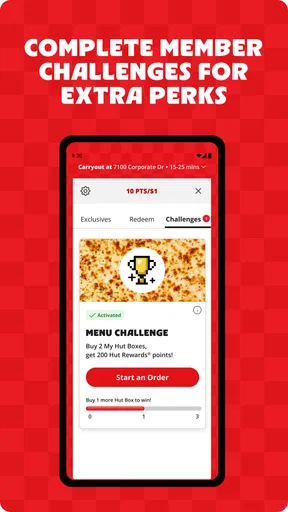
Yes, the Pizza Hut app includes the Hut Rewards program. You earn points for every dollar spent, which can be redeemed for free pizzas and other items. It’s a great way to get rewarded for your loyalty and enjoy additional savings on future orders.
Can I customize my pizza order in the app?
Absolutely! The Pizza Hut app allows you to fully customize your pizza, from choosing the crust type to selecting your favorite toppings. You can also specify your preferred cooking method and add extra cheese or sauce, ensuring your pizza is just the way you like it.
Does the Pizza Hut app offer contactless delivery options?
Yes, the Pizza Hut app offers contactless delivery to ensure safety and convenience. You can request contactless delivery at checkout, and the driver will leave your order at your doorstep, minimizing physical interaction while still delivering hot and fresh pizzas.
How do I resolve issues with my order through the Pizza Hut app?
If you encounter any issues with your order, the Pizza Hut app provides a customer service feature. You can contact support directly through the app, where representatives are available to assist with any concerns, whether it’s a missing item or a delivery delay.
